
How to access the Covid-19 form
DfE Sign-in guidance

Navigate to the form

1
Access the Coronavirus educational setting status form in just a few simple steps
Open the Covid-19 form in your web browser >
If the above link doesn't work, please enter the following URL into your web browser's address bar:
https://form.education.gov.uk/service/educational-setting-status
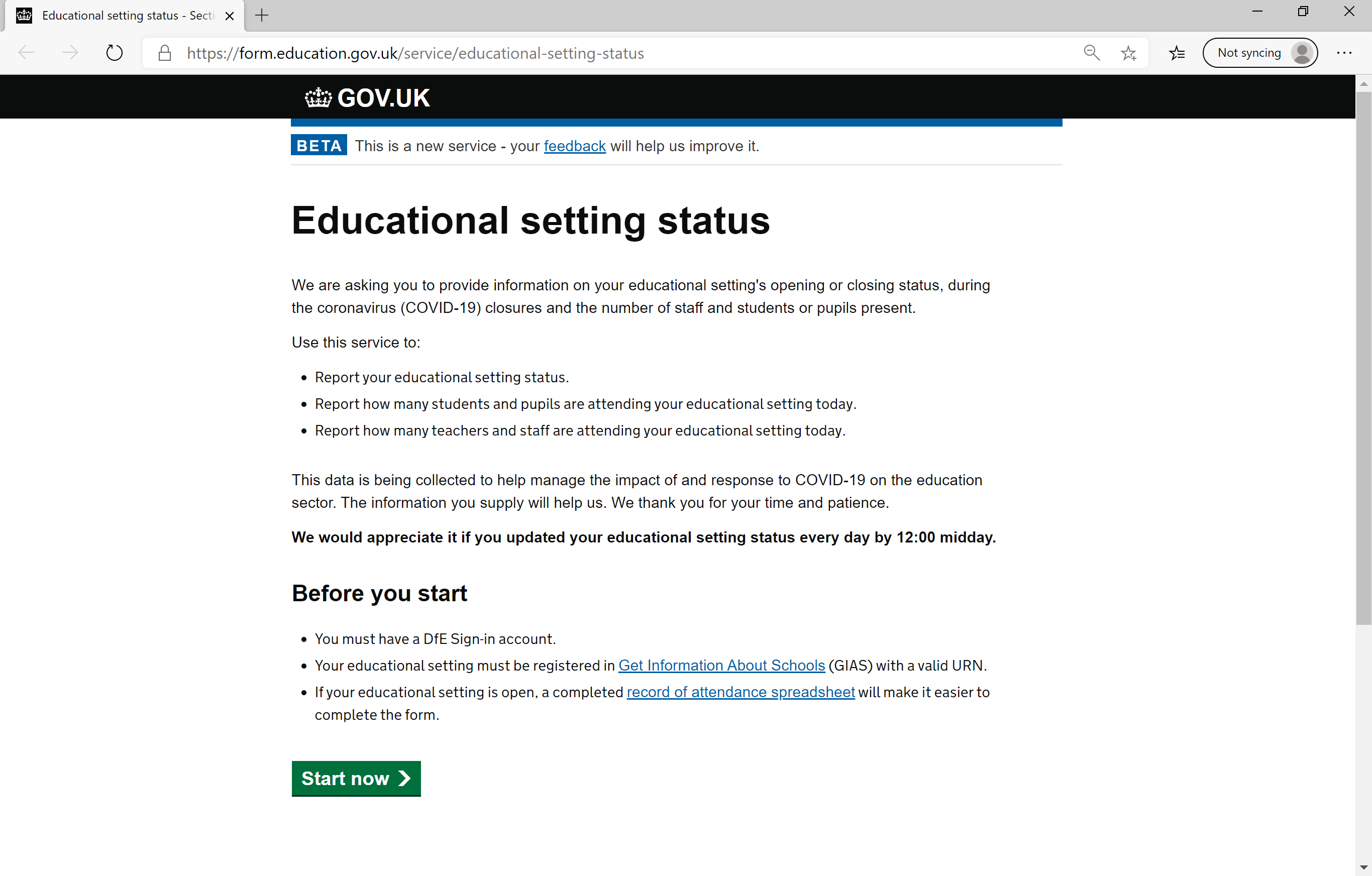
Click 'Start now' until you reach the DfE Sign-in page

2
Authenticate with DfE Sign-in
3
You will need a DfE Sign-in account to access the Covid-19 education setting status form.
Your account must be connected to the organisation for which you'd like to complete the Covid-19 form.
If you have an account, enter your email address and password.
NOTE: You do not need to add any services in DfE Sign-in; it is used only for authentication.
Due to how many people are attempting to use this form, you may see an error message from time to time. If you do, please wait 5 minutes and try again.
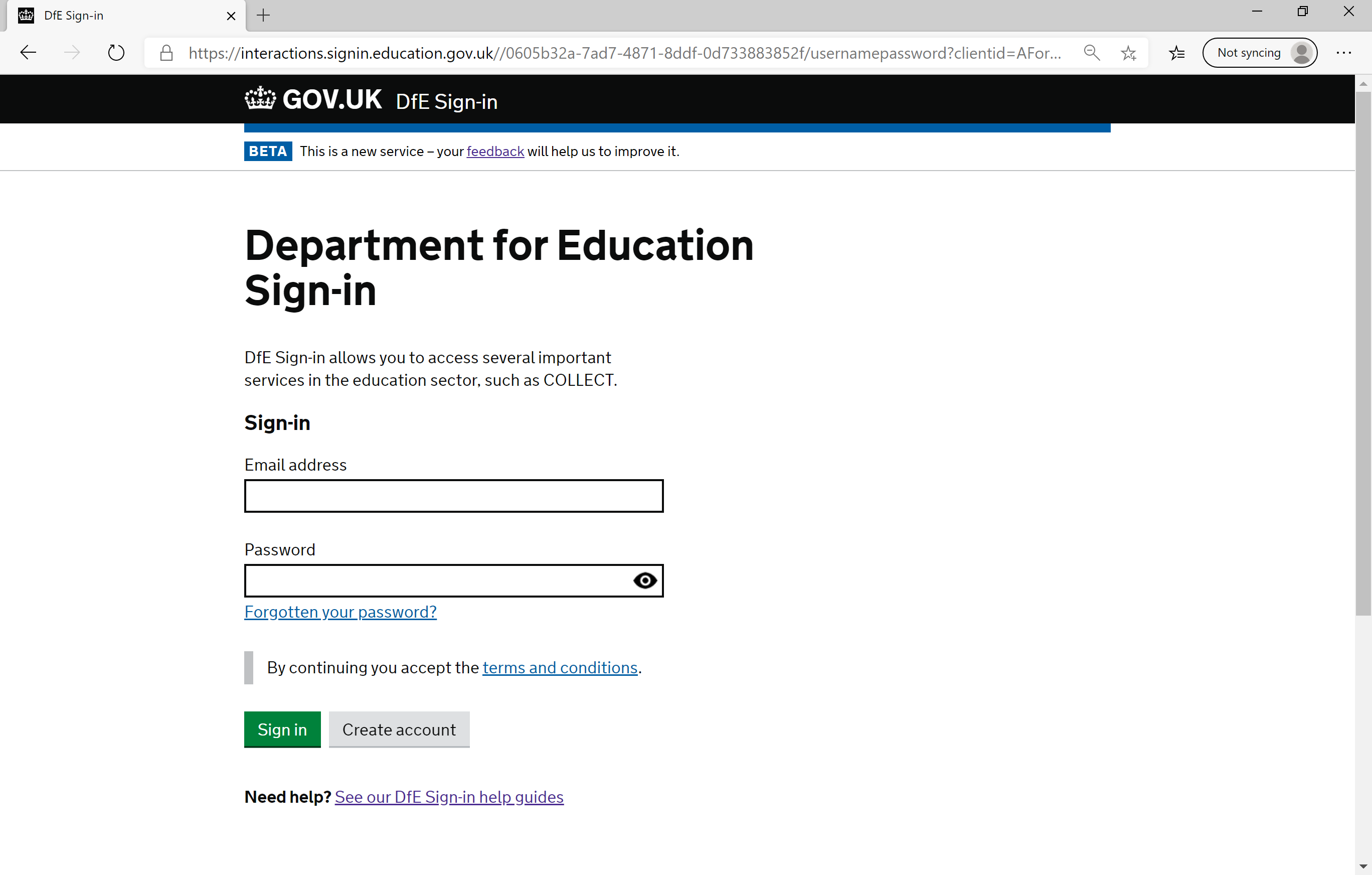
Don't have an account? Create a DfE Sign-in account >
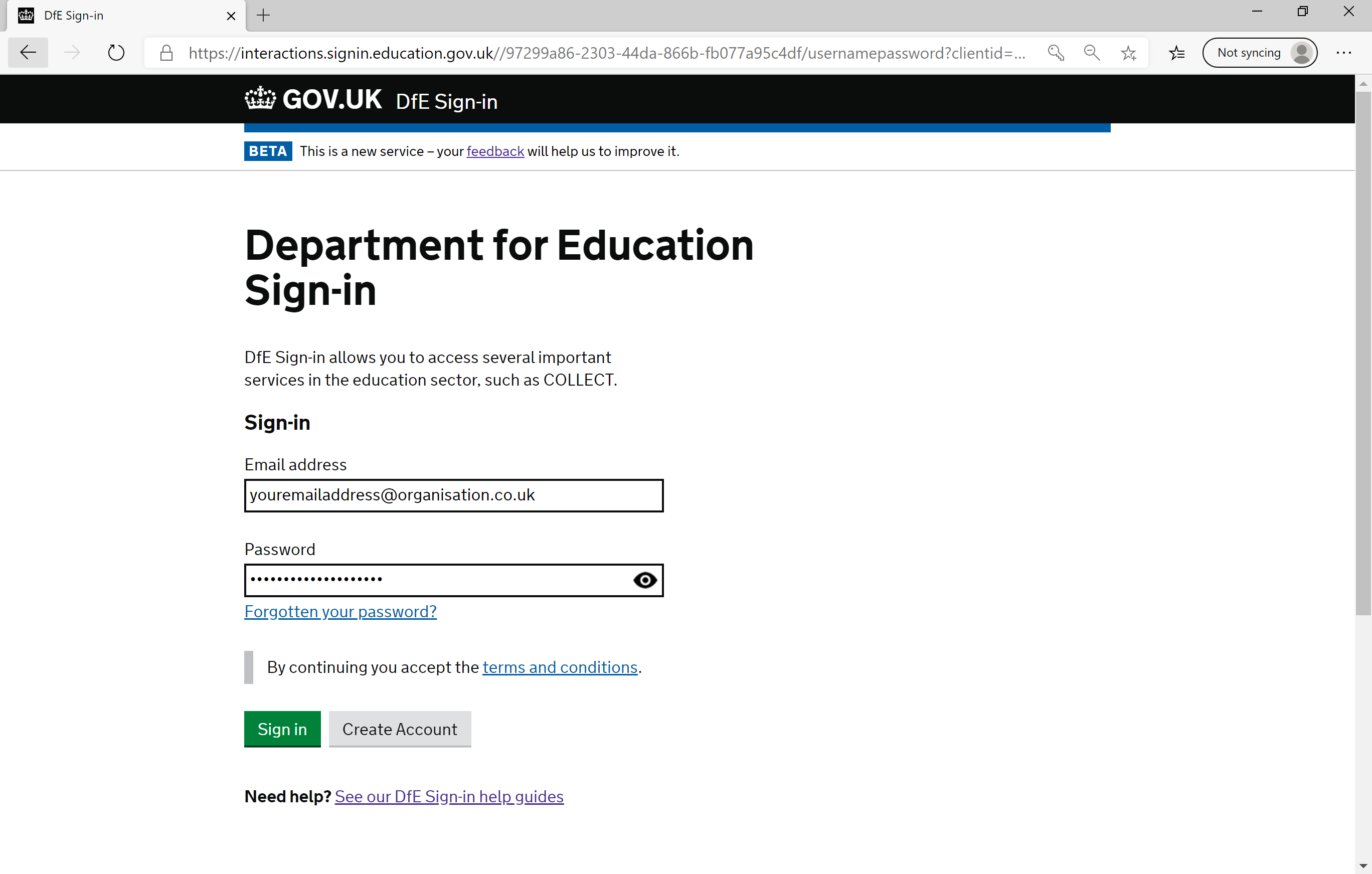
4
If you see an error message, you might not have a valid DfE Sign-in account, or your email or password may be incorrect.
Follow 'forgot your password' if this is the case, or create a DfE Sign-in account.
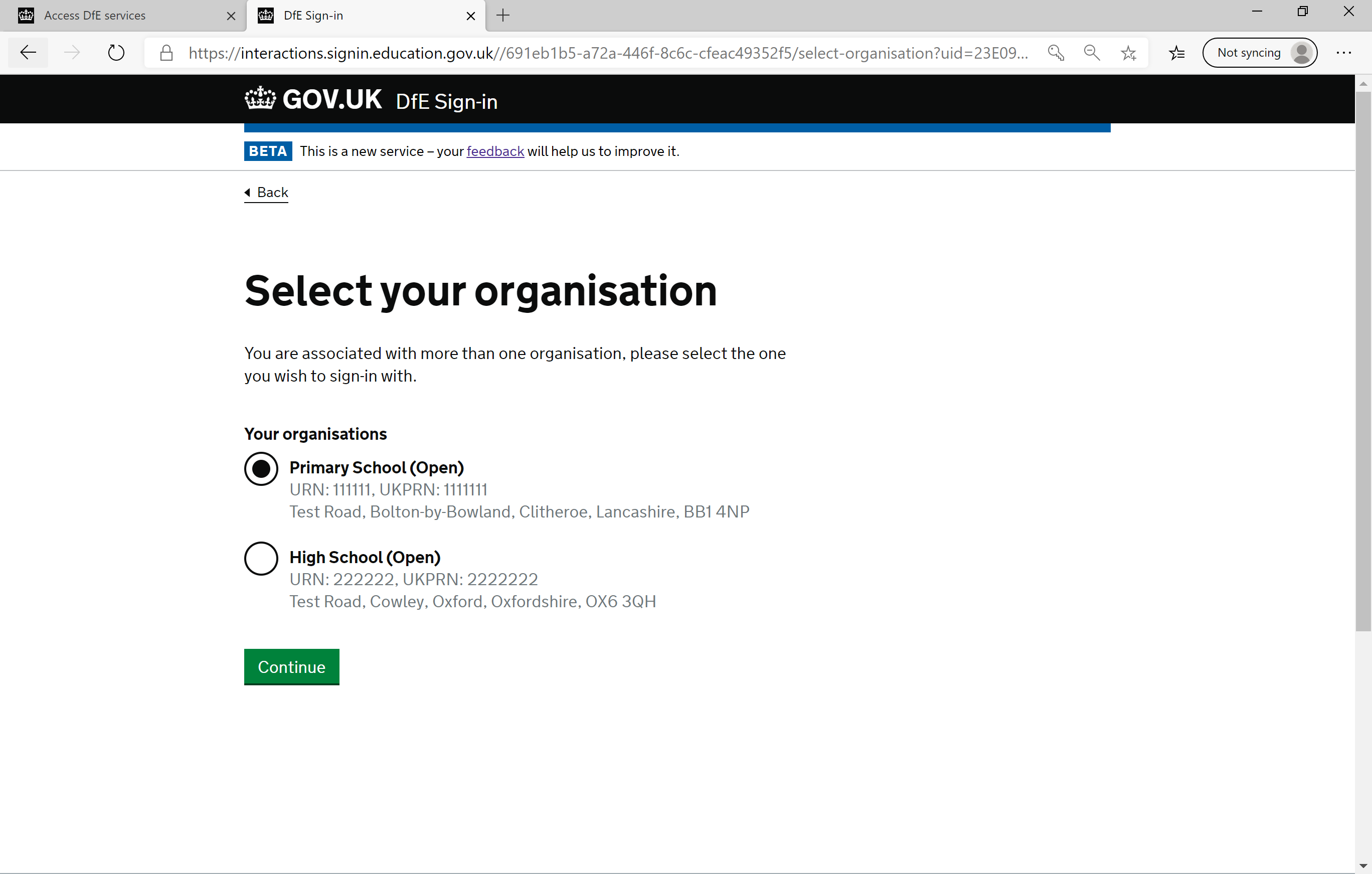
Select your organisation
5
Select the organisation for which you'd like to fill-in the Covid-19 form.
You will only see this screen if you have access to more than one organisation through your DfE Sign-in account.
If you need to complete the form for another organisation after the first, you will need to sign out and sign in again.
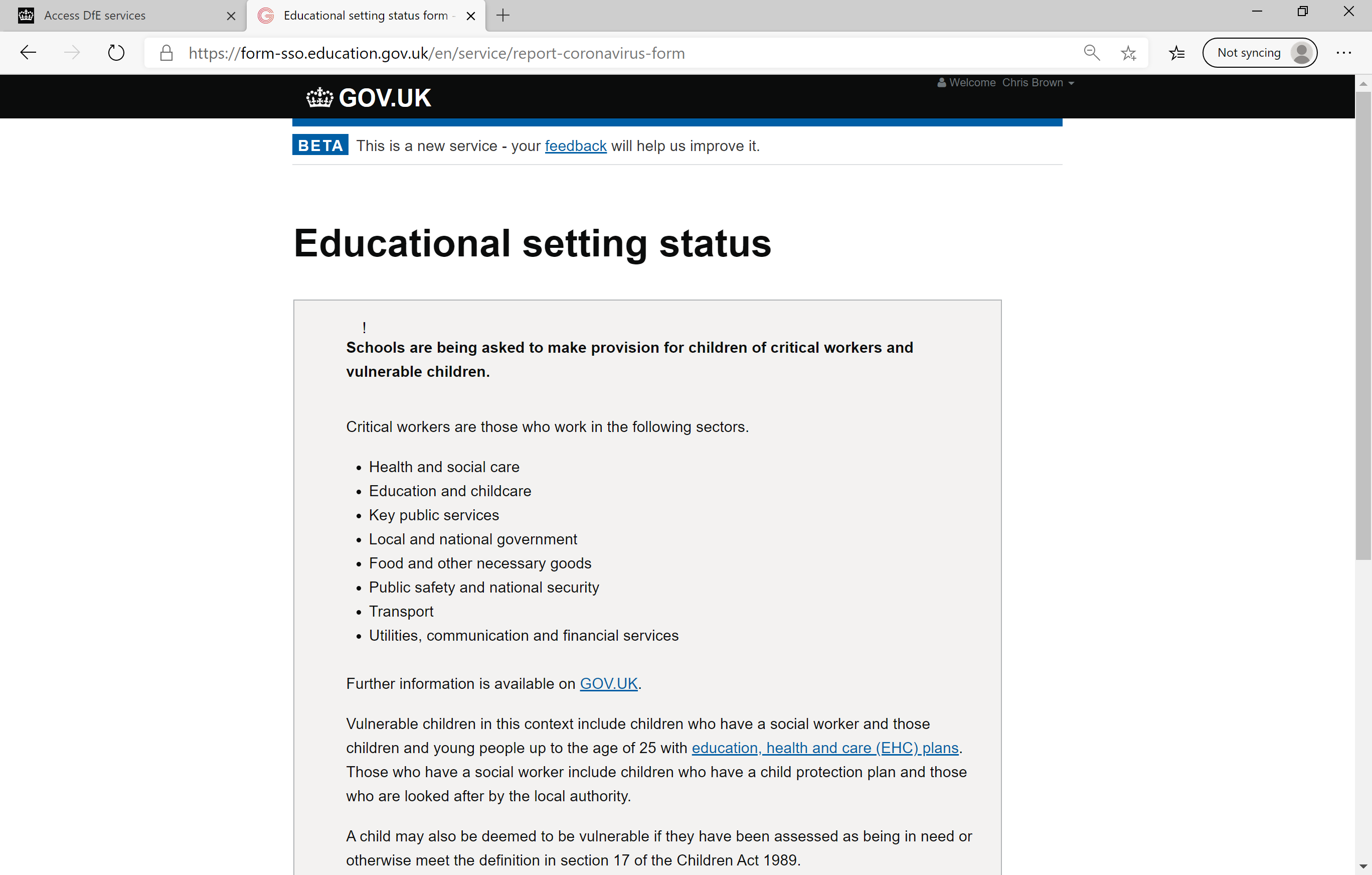
Click 'Continue' to launch the Covid-19 form
6
The continue button is at the bottom of the page. Click it to access the Covid-19 educational setting status form.
Click 'Sign in'
Need further support?
Raise a support request

Please bear in mind that due to the ongoing pandemic, responses from our support team may take longer than usual.